iFisher Faculty & Staff Resources
The iFisher initiative is broader than just providing iPads to each of our students; it aims to transform the living and learning environments on our campus.
In conjunction with the deployment of iPads, Fisher continues to invest in the future of our physical learning spaces to support more active, flexible, and student-driven learning activities. The primary focus is the revitalization of our classroom spaces, while informal living and learning environments are also part of this work as the project continues.
iFisher and the Strategic Plan
Through the iFisher initiative, which equips faculty, staff, and students with iPads kits and modern learning software, we support key priorities of the Fisher 2030: Pathways to Purpose strategic plan. iFisher helps:
- Strengthen student success by enabling flexible, accessible, and high-quality learning experiences.
- Foster organizational innovation by transforming how we teach, learn, and collaborate across campus.
- Promote inclusiveness, accessibility, and equity to ensure all members of our campus community have equal access to advanced learning tools and resources.
- Strengthen professional development by providing faculty and staff with the tools and training necessary to offer a modern, digitally enriched learning experience, empowering them to more fully support the University’s mission.
Training Opportunities
The DePeters Family Center for Innovation and Teaching Excellence offers formal and informal professional development training and workshop sessions.
Faculty and Staff Devices
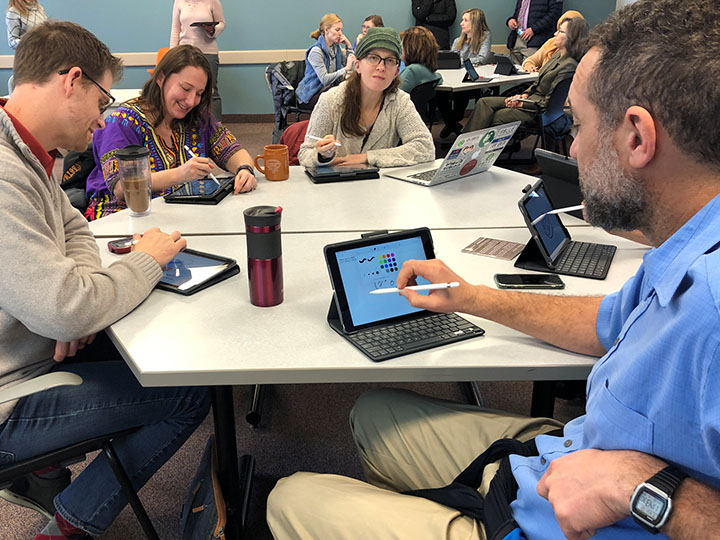
Faculty and staff with teaching responsibilities are eligible to receive an iPad, keyboard case, and Apple Pencil as part of the iFisher initiative. Staff who do not directly teach are also eligible to receive an iPad kit, pending their divisional vice president’s approval to do so. Deployment of the iPad kit is dependent on an agreement to complete the Fisher Apple Academy training experience. Faculty and staff iPad kits are the same configuration as student models and will be upgraded on a routine basis so that faculty and staff are using the same caliber technology as their students.
Part-time faculty are eligible to receive an iPad loaner kit for any semester you are teaching at Fisher. If you are not teaching in a given semester, we ask that you return the kit to the OIT Service Desk. All faculty, including part-time faculty, must agree to complete the Fisher Apple Academy before being loaned an iPad kit.
The DePeters Family Center for Innovation & Teaching Excellence provides support to faculty looking to use the iPad to transform their course experience. The first step is to complete Fisher Apple Academy 1.0, but even beyond that, there are a number of additional opportunities to expand your iPad skills and their use within your courses. We also offer Fisher Apple Academy 2.0, which expands upon the skills learned in 1.0. Please reach out to cite@sjf.edu to start the conversation.
All staff who receive an iPad are required to complete four training sessions with the DePeters Family Center to help you get the most out of your device. Once you receive your University-issued iPad, our team will contact you to begin the iPad training process. Training starts with a guided overview of the device and its core features, ensuring you feel confident with basic navigation and functionality. From there, you can explore a variety of targeted training sessions designed specifically for staff workflows. Topics include sessions covering smart iPad strategies—like productivity tips, file management, digital whiteboards, and Notability—to help you work more efficiently. Every session is tailored to staff needs and real-world tasks, helping you make the most of your iPad in your daily work.
Classroom Technology
There are Apple TVs in all learning spaces on campus, so you can use your iPad to project to the audience in any classroom.
iPads distributed to faculty, staff, and students all come with a suite of apps consistently used at Fisher. Most of these apps are available for free. Fisher provides one app for all of our devices, Notability. This app is a great tool for so many purposes, including note-taking, presenting, whiteboard drawing, voice commenting, and more. If you have identified another app you would like to require your students to use in a given course, you may do so. If it is free, just ask all students to download it on their own iPad at the start of the semester. If it is not free, you can make it part of the required course materials for students to purchase, or you can work with your department to purchase enough licenses for your students to use. Please contact the OIT Service Desk for support with purchases and distributing apps via departmental purchase.
Frequently Asked Questions
Will all students have an iPad?
All on-campus undergraduate students and eligible graduate students receive an iPad.
Can I use my iPad to teach in any classroom?
Yes, Apple TVs have been installed in all learning spaces on campus, so you can use your iPad to project in any classroom.
Are part-time faculty eligible to receive an iPad?
Yes, part-time faculty are eligible to receive an iPad loaner bundle for any semester they are teaching at Fisher. Part-time faculty not teaching in a given semester are asked to return the bundle to the OIT Service Desk. All faculty, including part-time faculty, must agree to complete the Fisher Apple Academy 1.0 before being loaned an iPad bundle.
Are staff eligible to receive an iPad?
Yes, the supervisor must enter the request via the OIT Service Desk to begin the process. Staff who receive an iPad are required to complete four training sessions to maximize use of the iPad.
How will students be oriented to their devices and the connected software?
Support for student success with the devices will take a multi-layered approach. Students will be oriented to the basics of the device when it is deployed to them. First-year students will also receive a basic orientation to iPads as part of Great Beginnings. Support for use of the devices will be integrated into the Freshman Seminar curriculum for continued and scaffolded skill development.
Where do I go for help?
The iCardinals office is the primary contact for troubleshooting both hardware and software issues and can be reached at (585) 385-3701.
If the iPad is lost or stolen, contact the Office of Safety and Security at (585) 385-8025.
The DePeters Family Center for Innovation & Teaching Excellence provides training and support to faculty and staff looking to use the iPad inside and outside of the classroom environment. Please reach out to cite@sjf.edu to start the conversation.